



Crestron 10.1 in. Room Scheduling Touch Screen, White
Pre-Order 10.1 in. Room Scheduling Touch Screen, White (Shipping May 2026)
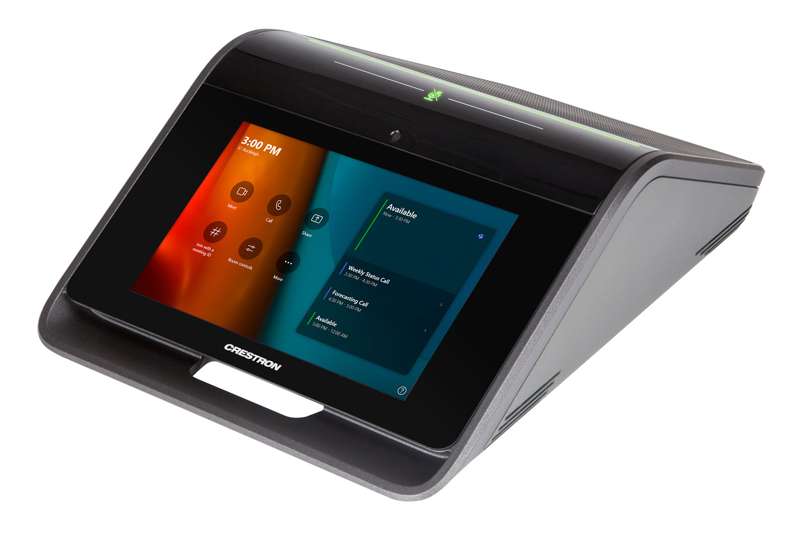
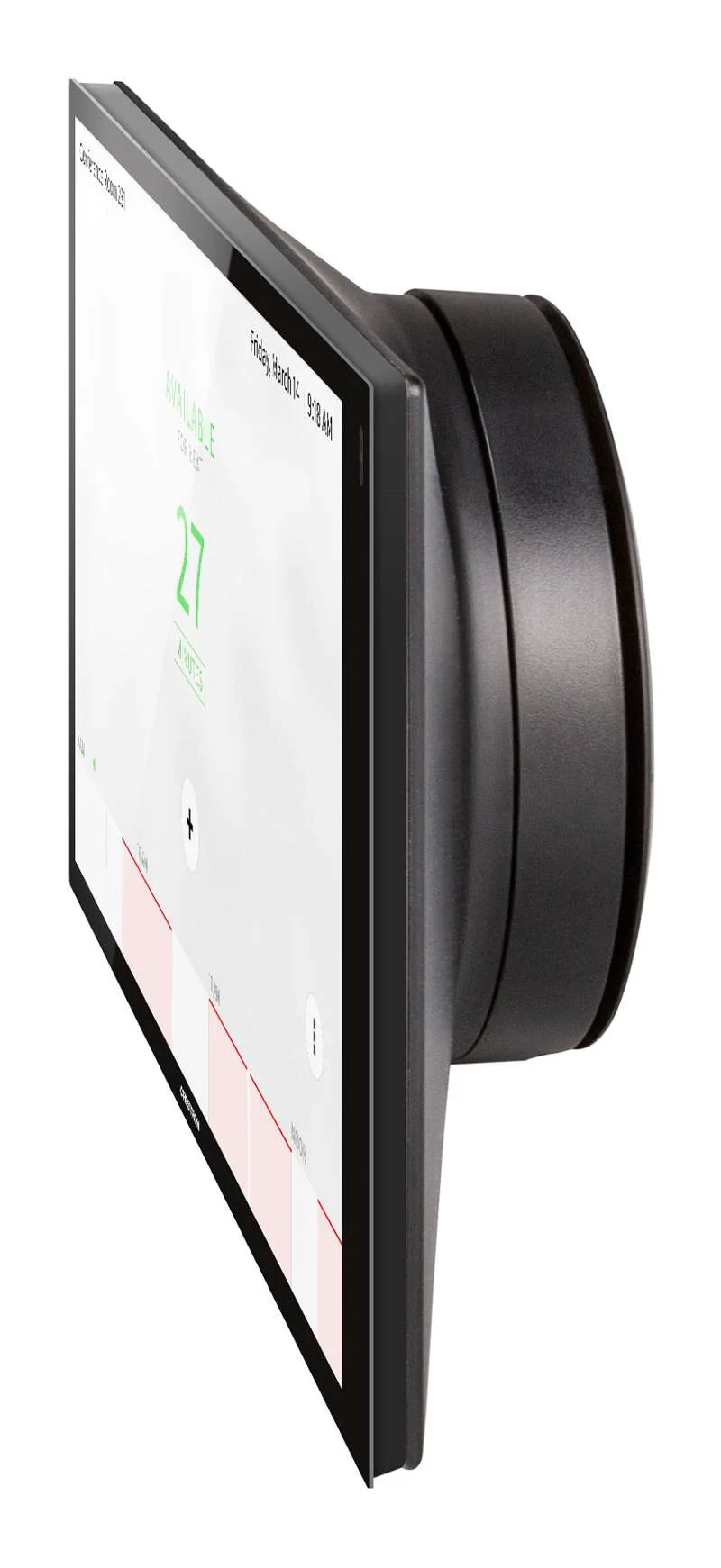
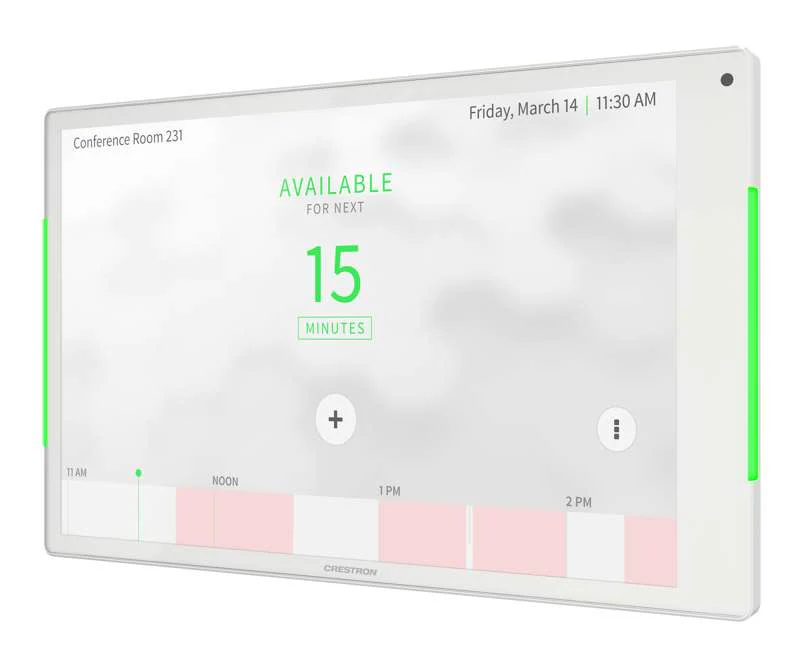
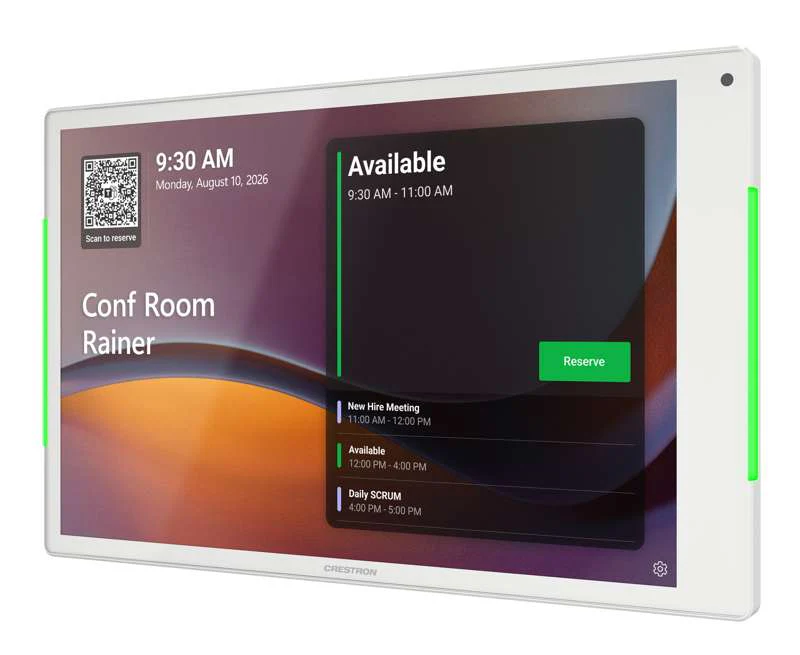
The TSS-1080 touch screen is designed to enhance and simplify room scheduling across an enterprise. It installs near a meeting room or huddle space and provides clear indication of its availability while integrates seamlessly with a variety of popular scheduling services.
Key Features
- Next generation Crestron touch screen designed for enterprise room scheduling applications
- 10.1 in. (257 mm) widescreen active-matrix color display and 1920x1200 WUXGA display resolution
- Integrates directly with various room scheduling services
- Integrated light bar for at-a-glance indication of room availability
- Standard U.S., U.K., and European electrical box installation with additional mounting options available
- Single wire Ethernet connection with PoE or PoE+ power
- Wi-Fi network connectivity
- USB-C 2.0 port for room availability accessories
- Enterprise grade security and authentication
- Available in white or black finish
Crestron TSS-1080 series touch screens are designed to enhance and simplify room scheduling across an enterprise. The TSS-1080 installs near a meeting room or huddle space to provide a clear indication of its availability and scheduling and integrates seamlessly with a variety of popular scheduling services.
Crestron Room Scheduling App
As part of a complete enterprise solution, the TSS-1080 serves as a room booking interface through the Crestron Room Scheduling app. If desired, a room can be reserved on the spot for an ad hoc meeting. A CEN‑ODT‑C‑POE occupancy sensor can also be paired to the touch screen, allowing for occupancy status to be reported instantly to the scheduling app for no shows and unscheduled room usage.
Running the Crestron Scheduling App, the TSS-1080 integrates directly with Microsoft Exchange Server software (for users of Outlook software and Microsoft 365 software), the Google Calendar calendaring app (including G Suite software), CollegeNET 25Live scheduling software, or Ad Astra software.
Third-Party Scheduling Apps
The TSS-1080 also includes support for various third-party scheduling applications. New providers are made available via firmware updates. Whatever provider you choose, setup is as simple as connecting the touch screen to the network and choosing an app from the built-in setup screens. The selected app downloads from the cloud and installs on the touch screen without any programming or control system required.
Zoom Rooms App
The Zoom Rooms conferencing control application enables the TSS-1080 to be used as a touch screen control panel for a Zoom Rooms software-based conferencing and collaboration solution. The TSS-1080 offers a superior alternative to a consumer tablet device, providing a more reliable and secure platform with versatile, streamlined mounting options. The TSS-1080 may be configured to run the Zoom Rooms app exclusively, or to allow toggling between the Zoom Rooms app and touch screen control mode. The latter option is used to integrate Zoom Rooms conferencing into a larger AV system, while providing touch screen control for both.
Built for Enterprise Scheduling Applications
The TSS-1080 is an enterprise-grade device engineered to meet all the demands of a corporate office, conference center, or higher education environment. Its 8 in. (201 mm) capacitive display provides an intuitive user interface dedicated for scheduling rooms and viewing essential meeting details. The UI can be customized and branded with your choice of background images and logos.
Integrated Light Bars
The TSS panels include integrated light bars on either side that provide users with an at-a-glance indication of room availability from both the sides and front. The light bars default to displaying red when a room is occupied and green when it is available, but can also be programmed to display a full range of RGB colors.
Power over Ethernet
Using PoE technology, the TSS-1080 gets its operating power directly through the network cable. PoE (Power over Ethernet) eliminates the need for a local power supply or any dedicated power wiring. Crestron PoE switches offer a total networking solution with built in PoE for multiple touch screens. Refer to the full list of supported PoE switches here.
XiO Cloud Service
The TSS-1080 is compatible with the XiO Cloud service, which is an IoT (Internet of Things) based platform for remotely monitoring and managing Crestron devices across an enterprise or an entire client base. Built on the Microsoft Azure software platform and utilizing Microsoft's industry leading Azure IoT Hub technology, XiO Cloud enables installers and IT managers to deploy and manage thousands of devices simultaneously. Unlike other virtual machine based cloud solutions, Azure services provide unlimited scalability to suit the ever growing needs of an enterprise.
Proximity Sensor and Brightness Controls
The TSS-1080 provides a built-in proximity sensor that wakes the screen without requiring any user interaction, and automatic brightness controls ensure optimal visibility under varying lighting conditions.
Room Scheduling Accessories
The TSS-1080 provides a USB-C port for connecting supported Crestron room scheduling accessories to the touch screen.
Wall Mount Options
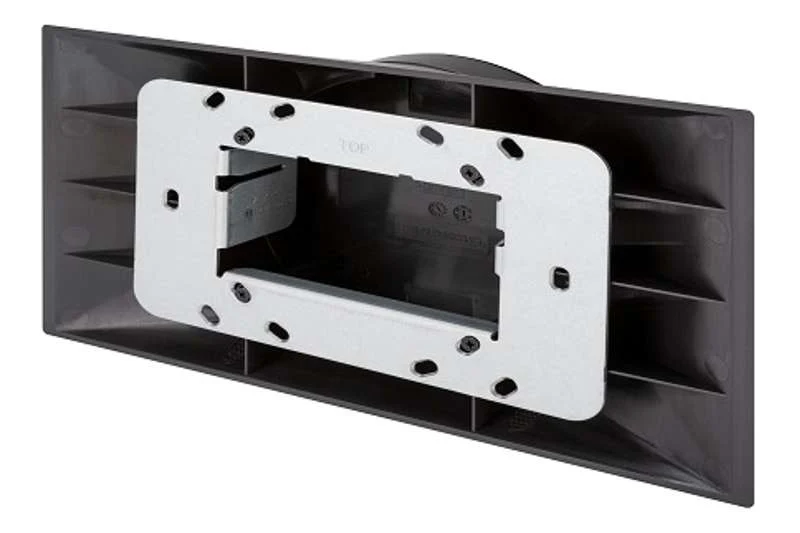
Using the bracket provided, the TSS-1080 is easily installed over a 2‑gang or 3‑gang US electrical box, or a 2‑gang European or UK electrical box. A security latch option is included to deter unauthorized removal of the touch screen.
Additional wall mounting options are afforded using the optional TSW‑UMB‑80 universal mounting bracket, TSW‑UMB‑80‑PMK preconstruction mounting kit, and TSW‑UMB‑80‑BBI back box (sold separately).
Optional Mounting Accessories
The TSS-1080 supports numerous optional mounting accessories that allow the touch screen to be installed in all kinds of installations.
Product Information
Product Information
Shipping & Returns
Shipping & Returns
Description
Pre-Order 10.1 in. Room Scheduling Touch Screen, White (Shipping May 2026)
The TSS-1080 touch screen is designed to enhance and simplify room scheduling across an enterprise. It installs near a meeting room or huddle space and provides clear indication of its availability while integrates seamlessly with a variety of popular scheduling services.
Key Features
- Next generation Crestron touch screen designed for enterprise room scheduling applications
- 10.1 in. (257 mm) widescreen active-matrix color display and 1920x1200 WUXGA display resolution
- Integrates directly with various room scheduling services
- Integrated light bar for at-a-glance indication of room availability
- Standard U.S., U.K., and European electrical box installation with additional mounting options available
- Single wire Ethernet connection with PoE or PoE+ power
- Wi-Fi network connectivity
- USB-C 2.0 port for room availability accessories
- Enterprise grade security and authentication
- Available in white or black finish
Crestron TSS-1080 series touch screens are designed to enhance and simplify room scheduling across an enterprise. The TSS-1080 installs near a meeting room or huddle space to provide a clear indication of its availability and scheduling and integrates seamlessly with a variety of popular scheduling services.
Crestron Room Scheduling App
As part of a complete enterprise solution, the TSS-1080 serves as a room booking interface through the Crestron Room Scheduling app. If desired, a room can be reserved on the spot for an ad hoc meeting. A CEN‑ODT‑C‑POE occupancy sensor can also be paired to the touch screen, allowing for occupancy status to be reported instantly to the scheduling app for no shows and unscheduled room usage.
Running the Crestron Scheduling App, the TSS-1080 integrates directly with Microsoft Exchange Server software (for users of Outlook software and Microsoft 365 software), the Google Calendar calendaring app (including G Suite software), CollegeNET 25Live scheduling software, or Ad Astra software.
Third-Party Scheduling Apps
The TSS-1080 also includes support for various third-party scheduling applications. New providers are made available via firmware updates. Whatever provider you choose, setup is as simple as connecting the touch screen to the network and choosing an app from the built-in setup screens. The selected app downloads from the cloud and installs on the touch screen without any programming or control system required.
Zoom Rooms App
The Zoom Rooms conferencing control application enables the TSS-1080 to be used as a touch screen control panel for a Zoom Rooms software-based conferencing and collaboration solution. The TSS-1080 offers a superior alternative to a consumer tablet device, providing a more reliable and secure platform with versatile, streamlined mounting options. The TSS-1080 may be configured to run the Zoom Rooms app exclusively, or to allow toggling between the Zoom Rooms app and touch screen control mode. The latter option is used to integrate Zoom Rooms conferencing into a larger AV system, while providing touch screen control for both.
Built for Enterprise Scheduling Applications
The TSS-1080 is an enterprise-grade device engineered to meet all the demands of a corporate office, conference center, or higher education environment. Its 8 in. (201 mm) capacitive display provides an intuitive user interface dedicated for scheduling rooms and viewing essential meeting details. The UI can be customized and branded with your choice of background images and logos.
Integrated Light Bars
The TSS panels include integrated light bars on either side that provide users with an at-a-glance indication of room availability from both the sides and front. The light bars default to displaying red when a room is occupied and green when it is available, but can also be programmed to display a full range of RGB colors.
Power over Ethernet
Using PoE technology, the TSS-1080 gets its operating power directly through the network cable. PoE (Power over Ethernet) eliminates the need for a local power supply or any dedicated power wiring. Crestron PoE switches offer a total networking solution with built in PoE for multiple touch screens. Refer to the full list of supported PoE switches here.
XiO Cloud Service
The TSS-1080 is compatible with the XiO Cloud service, which is an IoT (Internet of Things) based platform for remotely monitoring and managing Crestron devices across an enterprise or an entire client base. Built on the Microsoft Azure software platform and utilizing Microsoft's industry leading Azure IoT Hub technology, XiO Cloud enables installers and IT managers to deploy and manage thousands of devices simultaneously. Unlike other virtual machine based cloud solutions, Azure services provide unlimited scalability to suit the ever growing needs of an enterprise.
Proximity Sensor and Brightness Controls
The TSS-1080 provides a built-in proximity sensor that wakes the screen without requiring any user interaction, and automatic brightness controls ensure optimal visibility under varying lighting conditions.
Room Scheduling Accessories
The TSS-1080 provides a USB-C port for connecting supported Crestron room scheduling accessories to the touch screen.
Wall Mount Options
Using the bracket provided, the TSS-1080 is easily installed over a 2‑gang or 3‑gang US electrical box, or a 2‑gang European or UK electrical box. A security latch option is included to deter unauthorized removal of the touch screen.
Additional wall mounting options are afforded using the optional TSW‑UMB‑80 universal mounting bracket, TSW‑UMB‑80‑PMK preconstruction mounting kit, and TSW‑UMB‑80‑BBI back box (sold separately).
Optional Mounting Accessories
The TSS-1080 supports numerous optional mounting accessories that allow the touch screen to be installed in all kinds of installations.