Crestron 10.1 in. Wall Mount Touch Screen, Government Version
Pre-Order 10.1 in. Wall Mount Touch Screen, Government Version (Shipping May 2026)
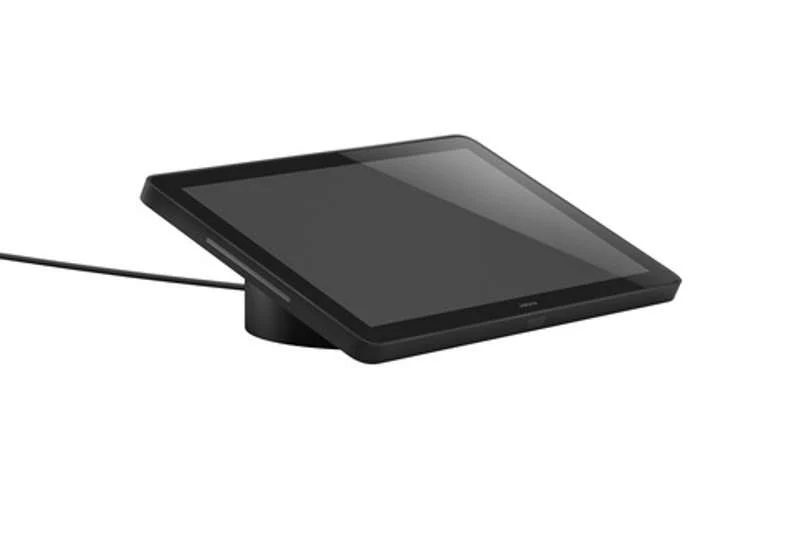
A wall mount touch screen ideal for enterprise applications, featuring a capacitive touch screen display with custom programmable control buttons and support for HTML5-based custom UI projects. PoE network connectivity and a comprehensive assortment of mounting accessories simplify new and retrofit installations. The TSW-1080-GV is suitable for government deployment.
Key Features
- Next generation Crestron touch screen
- 10.1 in. (257 mm) widescreen active-matrix color display and 1920x1200 WUXGA display resolution
- Capacitive touch screen display
- Custom-programmable virtual control buttons
- Supports Crestron HTML5 software custom user projects
- Built-in speakers
- H.265, H.264, or MJPEG streaming video display
- Native app for Zoom Rooms software conferencing control, and various room scheduling services
- Built-in web browsing
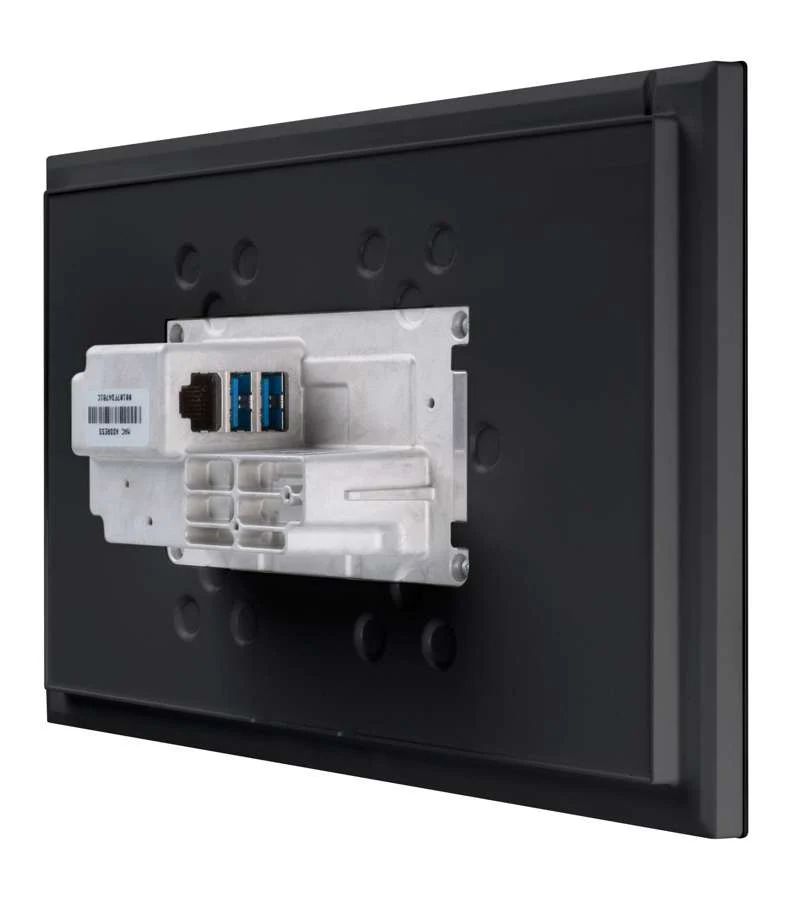
- Single wire Ethernet connection with PoE or PoE+ power
- USB-C 2.0 port for room availability accessories and conferencing
- Enterprise grade security and authentication
- Web, cloud, or device-based configuration
The Crestron TSW-1080-GV touch screen is ideal for government and enterprise applications. The TSW-1080-GV features a 10.1 in. (257 mm) capacitive touch screen display with custom programmable control buttons and support for HTML5-based custom UI projects. PoE network connectivity simplify new and retrofit installations.
Advanced Touch Screen Control
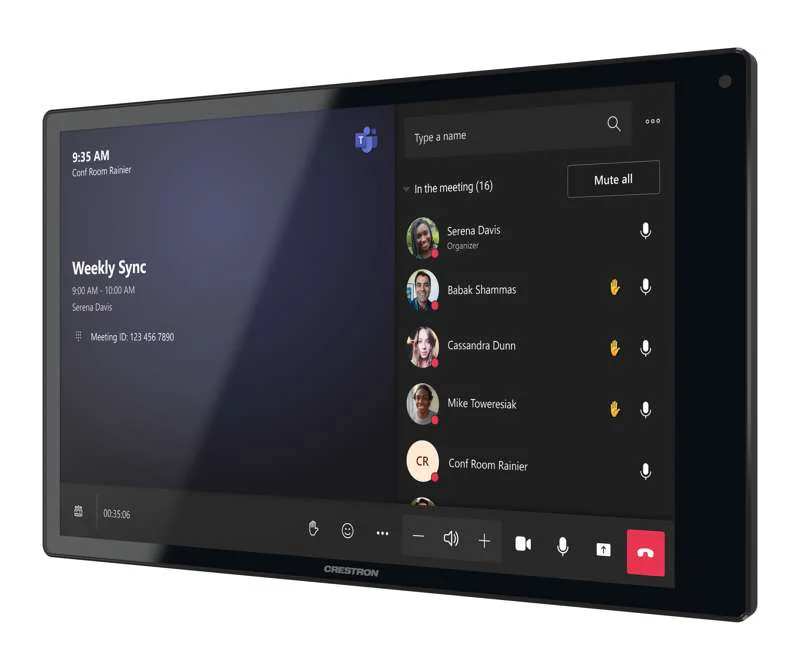
The TSW-1080-GV offers a sleek and powerful user interface for controlling technology in a home, boardroom, conference room, or command center. The touch screen provides an intuitive interface with easy-to-use capacitive controls, true feedback, and real-time status display. Automatic brightness controls ensure optimal visibility under varying lighting conditions.
Custom-Programmable Virtual Buttons
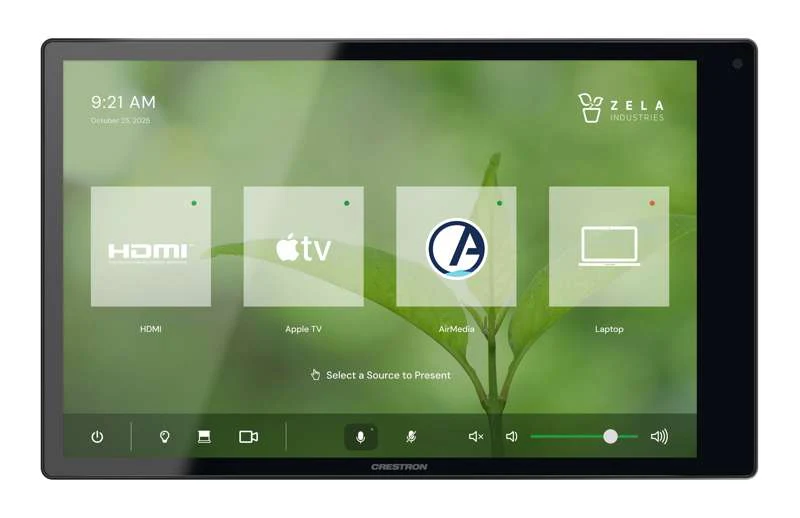
The TSW-1080-GV comes preconfigured with virtual buttons for Power, Home, Lights, Up, and Down. Each button can be programmed via a Crestron control system to provide custom functionality, and unused buttons can be hidden individually. The universal status bar is expanded or hidden using simple swipe gestures on touch screen display.
Dynamic User Interfaces
The TSW-1080-GV supports custom user interfaces created with Crestron HTML5 User Interface and Crestron Construct technologies, allowing greater flexibility for UI developers and programmers.
Streaming Video
Native support for H.265, H.264, and MJPEG formats allows the TSW-1080-GV to display live streaming video from an IP camera or streaming encoder (Crestron DM-TXRX-100-STR , or similar). Video is delivered to the touch screen over Ethernet, eliminating the need for extra video wiring.
Crestron Room Scheduling App
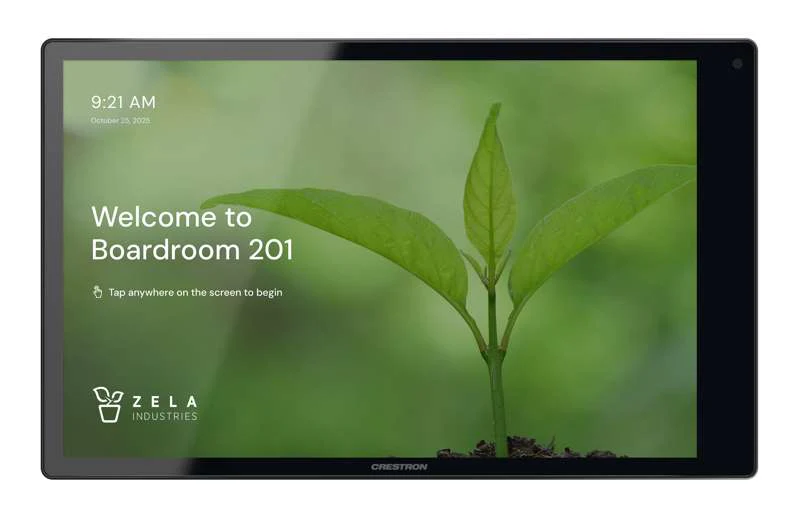
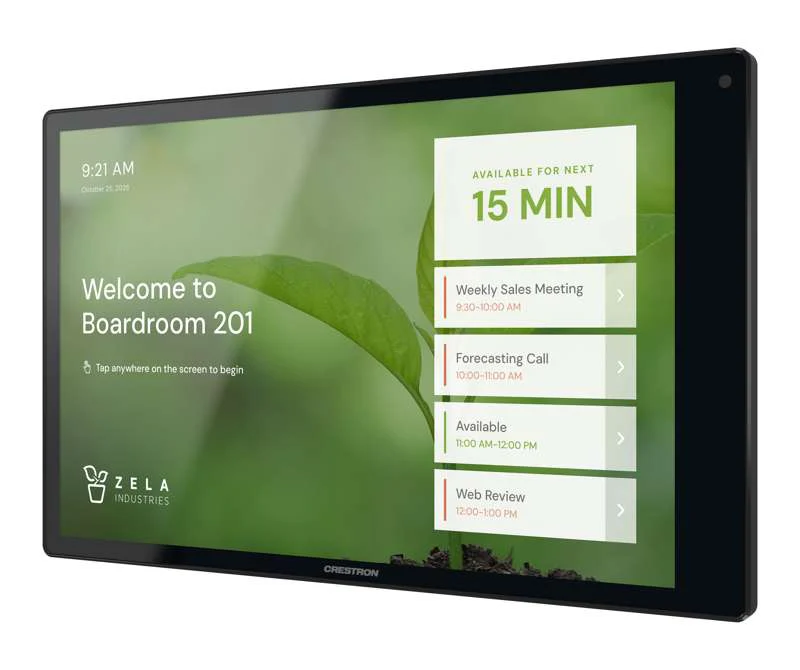
As part of a complete enterprise solution, the TSW-1080-GV serves as a room booking interface through the Crestron Room Scheduling app. A Crestron scheduling panel can be installed at the entrance of a meeting room to provide indication of the room’s availability and schedule for the day. If desired, a room can be reserved on the spot for an ad hoc meeting. A CEN-ODT-C-POE occupancy sensor can also be paired to the touch screen, allowing for occupancy status to be reported instantly to the scheduling app for no shows and unscheduled room usage.
Running the Crestron Scheduling App, the TSW-1080-GV integrates directly with Microsoft Exchange Server software (for users of Outlook software and Microsoft 365 software), the Google Calendar calendaring app (including G Suite software), CollegeNET 25Live scheduling software, or Ad Astra software.
Third-Party Scheduling Apps
The TSW-1080-GV also includes support for various third-party scheduling applications. New providers are made available via firmware updates. Whatever provider you choose, setup is as simple as connecting the touch screen to the network and choosing an app from the built-in setup screens. The selected app downloads from the cloud and installs on the touch screen without any programming or control system required.
Zoom Rooms App
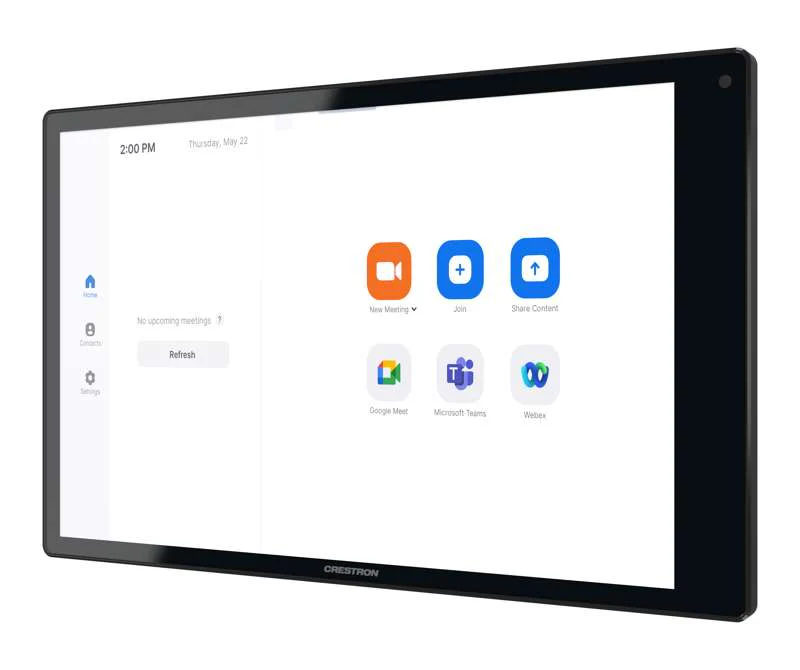
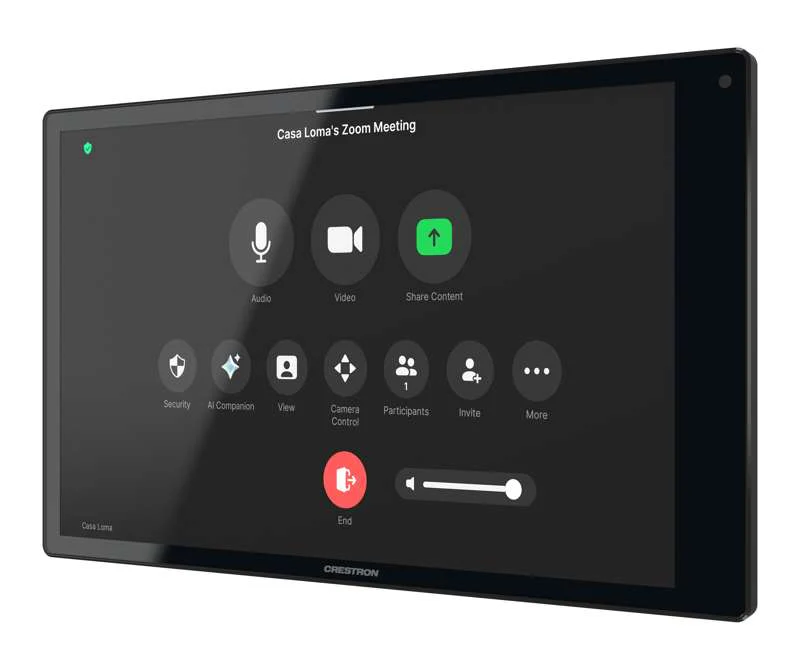
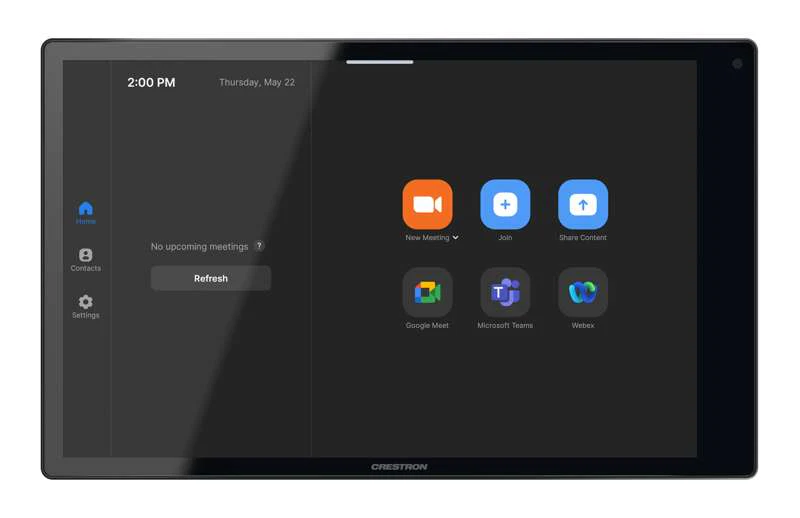
The Zoom Rooms conferencing control application enables the TSW-1080-GV to be used as a touch screen control panel for a Zoom Rooms software-based conferencing and collaboration solution. The TSW-1080-GV offers a superior alternative to a consumer tablet device, providing a more reliable and secure platform with versatile, streamlined mounting options. The TSW-1080-GV may be configured to run the Zoom Rooms app exclusively, or to allow toggling between the Zoom Rooms app and touch screen control mode. The latter option is used to integrate Zoom Rooms conferencing into a larger AV system, while providing touch screen control for both.
Web Browsing
Using its built in web browser, the TSW-1080-GV provides access to online program guides and other web-based services, and it can be used to control DVRs and other devices without having to pick up a tablet or smartphone.
Wired Connectivity
An Ethernet LAN connection is all that is required to wire the TSW-1080-GV, containing all control, video, and power signals within a single wire.
Power over Ethernet
Using PoE technology, the TSW-1080-GV gets its operating power directly through the network cable. PoE (Power over Ethernet) eliminates the need for a local power supply or any dedicated power wiring. Crestron PoE switches offer a total networking solution with built in PoE for multiple touch screens.
Enterprise-Grade Security
Crestron touch screens employ enterprise-grade networking with robust security features such as 802.1X authentication, MDEP, TLS encryption, HTTPS connectivity, and Active Directory service integration. These features are imperative to protect your network against service interruptions and malicious intrusions, and to ensure compliance with your organization’s network policies. Cloud based provisioning and management streamlines the process of configuring, monitoring, and updating every touch screen on the network. Additional support for SNMP allows the touch screen to be monitored by your IT administrator.
XiO Cloud Service
The TSW-1080-GV is compatible with the XiO Cloud service, which is an IoT (Internet of Things) based platform for remotely monitoring and managing Crestron devices across an enterprise or an entire client base. Built on the Microsoft Azure software platform and utilizing Microsoft's industry leading Azure IoT Hub technology, XiO Cloud enables installers and IT managers to deploy and manage thousands of devices simultaneously. Unlike other virtual machine based cloud solutions, Azure services provide unlimited scalability to suit the ever growing needs of an enterprise.
Room Scheduling Accessories
The TSW-1080-GV provides a USB-C port for connecting supported Crestron room scheduling accessories to the touch screen.
Optional Mounting Accessories
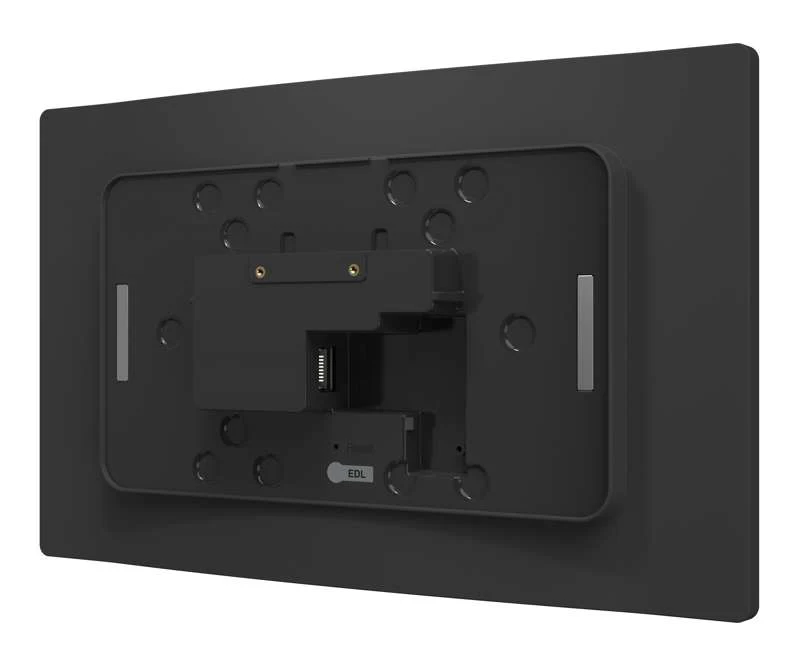
The TSW-1080-GV supports numerous optional mounting accessories that allow the touch screen to be installed in all kinds of installations.
Original: $3,400.00
-65%$3,400.00
$1,190.00Product Information
Product Information
Shipping & Returns
Shipping & Returns
Description
Pre-Order 10.1 in. Wall Mount Touch Screen, Government Version (Shipping May 2026)
A wall mount touch screen ideal for enterprise applications, featuring a capacitive touch screen display with custom programmable control buttons and support for HTML5-based custom UI projects. PoE network connectivity and a comprehensive assortment of mounting accessories simplify new and retrofit installations. The TSW-1080-GV is suitable for government deployment.
Key Features
- Next generation Crestron touch screen
- 10.1 in. (257 mm) widescreen active-matrix color display and 1920x1200 WUXGA display resolution
- Capacitive touch screen display
- Custom-programmable virtual control buttons
- Supports Crestron HTML5 software custom user projects
- Built-in speakers
- H.265, H.264, or MJPEG streaming video display
- Native app for Zoom Rooms software conferencing control, and various room scheduling services
- Built-in web browsing
- Single wire Ethernet connection with PoE or PoE+ power
- USB-C 2.0 port for room availability accessories and conferencing
- Enterprise grade security and authentication
- Web, cloud, or device-based configuration
The Crestron TSW-1080-GV touch screen is ideal for government and enterprise applications. The TSW-1080-GV features a 10.1 in. (257 mm) capacitive touch screen display with custom programmable control buttons and support for HTML5-based custom UI projects. PoE network connectivity simplify new and retrofit installations.
Advanced Touch Screen Control
The TSW-1080-GV offers a sleek and powerful user interface for controlling technology in a home, boardroom, conference room, or command center. The touch screen provides an intuitive interface with easy-to-use capacitive controls, true feedback, and real-time status display. Automatic brightness controls ensure optimal visibility under varying lighting conditions.
Custom-Programmable Virtual Buttons
The TSW-1080-GV comes preconfigured with virtual buttons for Power, Home, Lights, Up, and Down. Each button can be programmed via a Crestron control system to provide custom functionality, and unused buttons can be hidden individually. The universal status bar is expanded or hidden using simple swipe gestures on touch screen display.
Dynamic User Interfaces
The TSW-1080-GV supports custom user interfaces created with Crestron HTML5 User Interface and Crestron Construct technologies, allowing greater flexibility for UI developers and programmers.
Streaming Video
Native support for H.265, H.264, and MJPEG formats allows the TSW-1080-GV to display live streaming video from an IP camera or streaming encoder (Crestron DM-TXRX-100-STR , or similar). Video is delivered to the touch screen over Ethernet, eliminating the need for extra video wiring.
Crestron Room Scheduling App
As part of a complete enterprise solution, the TSW-1080-GV serves as a room booking interface through the Crestron Room Scheduling app. A Crestron scheduling panel can be installed at the entrance of a meeting room to provide indication of the room’s availability and schedule for the day. If desired, a room can be reserved on the spot for an ad hoc meeting. A CEN-ODT-C-POE occupancy sensor can also be paired to the touch screen, allowing for occupancy status to be reported instantly to the scheduling app for no shows and unscheduled room usage.
Running the Crestron Scheduling App, the TSW-1080-GV integrates directly with Microsoft Exchange Server software (for users of Outlook software and Microsoft 365 software), the Google Calendar calendaring app (including G Suite software), CollegeNET 25Live scheduling software, or Ad Astra software.
Third-Party Scheduling Apps
The TSW-1080-GV also includes support for various third-party scheduling applications. New providers are made available via firmware updates. Whatever provider you choose, setup is as simple as connecting the touch screen to the network and choosing an app from the built-in setup screens. The selected app downloads from the cloud and installs on the touch screen without any programming or control system required.
Zoom Rooms App
The Zoom Rooms conferencing control application enables the TSW-1080-GV to be used as a touch screen control panel for a Zoom Rooms software-based conferencing and collaboration solution. The TSW-1080-GV offers a superior alternative to a consumer tablet device, providing a more reliable and secure platform with versatile, streamlined mounting options. The TSW-1080-GV may be configured to run the Zoom Rooms app exclusively, or to allow toggling between the Zoom Rooms app and touch screen control mode. The latter option is used to integrate Zoom Rooms conferencing into a larger AV system, while providing touch screen control for both.
Web Browsing
Using its built in web browser, the TSW-1080-GV provides access to online program guides and other web-based services, and it can be used to control DVRs and other devices without having to pick up a tablet or smartphone.
Wired Connectivity
An Ethernet LAN connection is all that is required to wire the TSW-1080-GV, containing all control, video, and power signals within a single wire.
Power over Ethernet
Using PoE technology, the TSW-1080-GV gets its operating power directly through the network cable. PoE (Power over Ethernet) eliminates the need for a local power supply or any dedicated power wiring. Crestron PoE switches offer a total networking solution with built in PoE for multiple touch screens.
Enterprise-Grade Security
Crestron touch screens employ enterprise-grade networking with robust security features such as 802.1X authentication, MDEP, TLS encryption, HTTPS connectivity, and Active Directory service integration. These features are imperative to protect your network against service interruptions and malicious intrusions, and to ensure compliance with your organization’s network policies. Cloud based provisioning and management streamlines the process of configuring, monitoring, and updating every touch screen on the network. Additional support for SNMP allows the touch screen to be monitored by your IT administrator.
XiO Cloud Service
The TSW-1080-GV is compatible with the XiO Cloud service, which is an IoT (Internet of Things) based platform for remotely monitoring and managing Crestron devices across an enterprise or an entire client base. Built on the Microsoft Azure software platform and utilizing Microsoft's industry leading Azure IoT Hub technology, XiO Cloud enables installers and IT managers to deploy and manage thousands of devices simultaneously. Unlike other virtual machine based cloud solutions, Azure services provide unlimited scalability to suit the ever growing needs of an enterprise.
Room Scheduling Accessories
The TSW-1080-GV provides a USB-C port for connecting supported Crestron room scheduling accessories to the touch screen.
Optional Mounting Accessories
The TSW-1080-GV supports numerous optional mounting accessories that allow the touch screen to be installed in all kinds of installations.