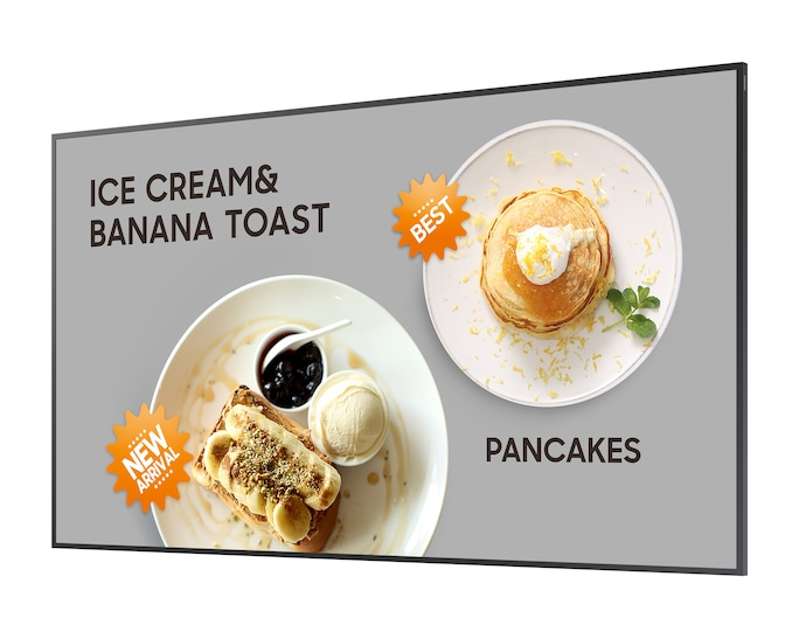

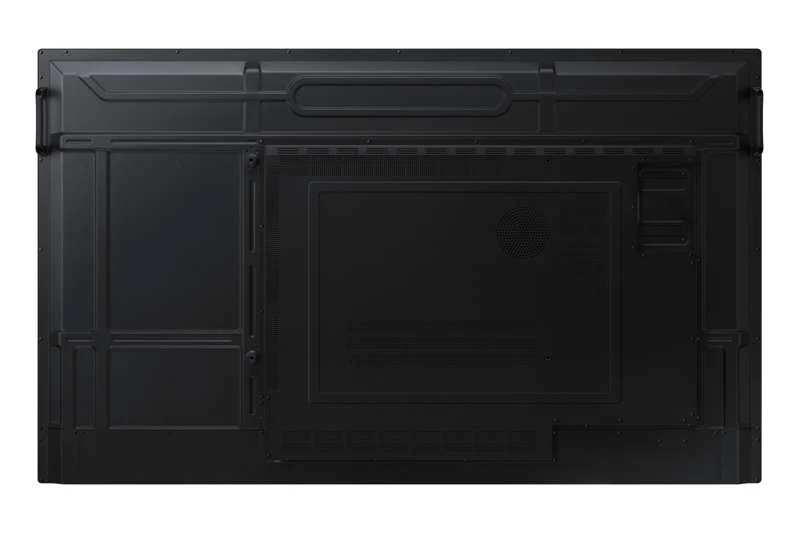
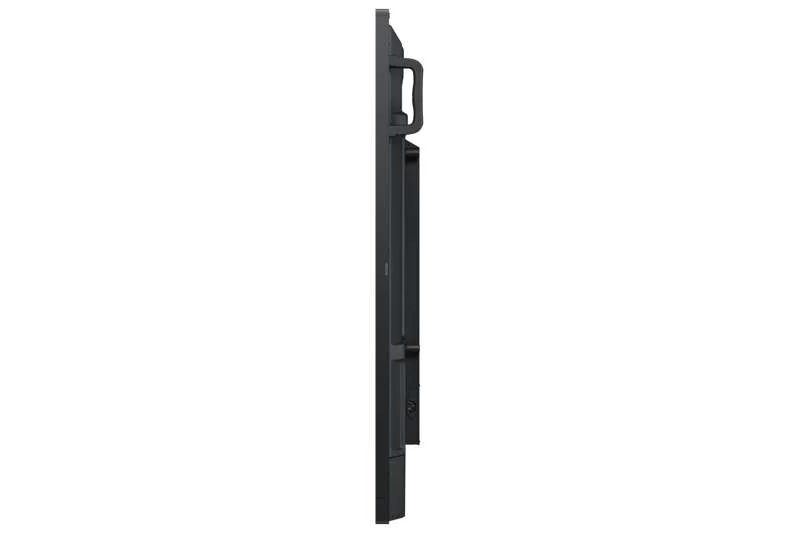


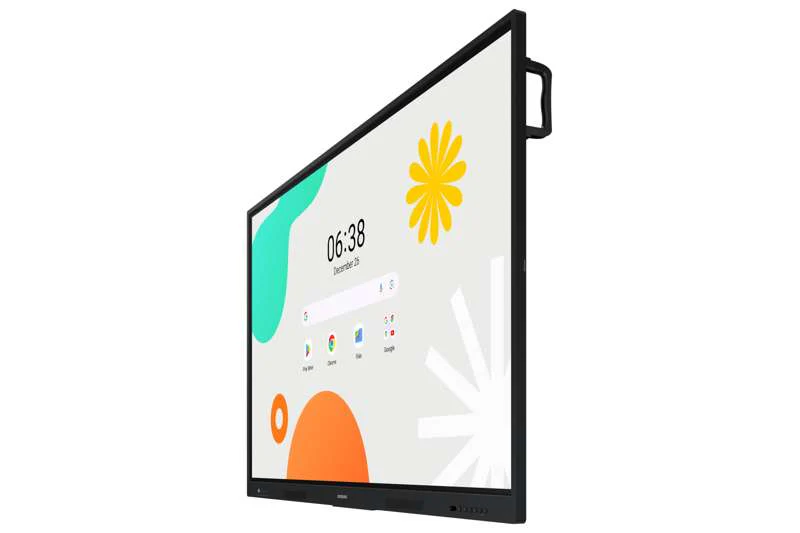


Samsung 65" Interactive Display WAF series
65" WAF Series Interactive Display
Key Features
- Powered by Android™ 14 with an intuitive and customizable home screen
- Compatible with other Android™ devices for a familiar user experience
- EDLA-certified with access to Google Play, YouTube, Google Classroom, and more
- Instant, on-screen annotation with the always-visible Annotation button
- Split Note Mode allows up to four independent writing zones
- Multi‑window and split‑screen modes for flexible multitasking
- Wireless screen sharing for up to nine devices (iOS, macOS, Windows, Android™, ChromeOS)
- Up to 40‑point multi‑touch drawing for collaborative learning
- Dual Pen capability for seamless color switching without menu changes
- Front-panel quick access controls for intuitive navigation
- 3‑in‑1 USB‑C port: mirroring, touch, and 65W charging
- HDMI‑Out for sharing content to larger external displays
- OPS slot supports optional Windows OS expansion
- Cloud or on‑premise Device Management Solution (DMS)
- Campus‑wide instant notifications with Advanced Messaging
- TÜV-certified anti‑glare, low blue light & flicker‑free visual protection
- Enhanced durability with surge protection and anti‑humidity chipset coating
Unlimited learning possibilities
The WAF Series Interactive Display revolutionizes classroom engagement with Android™ OS 14, an Octa‑Core CPU, and seamless access to Google services. Combined with real‑time annotation and powerful collaboration tools, it empowers educators and students in classrooms of any size.
An intuitive UX that fits your needs
Powered by Android™, the WAF series offers a familiar and flexible experience. Widgets, shortcuts, and a customizable home screen make it easy to design the perfect layout for any teaching style or subject.
Effortless access to Google services
With EDLA certification, educators gain full access to essential Google apps—including Google Play, YouTube, Chrome, and Google Classroom—creating a seamless and efficient digital learning ecosystem.
Take notes instantly, anywhere on the screen
The always-visible Annotation button allows teachers and students to write directly on top of any content—videos, browser windows, or lesson materials—without switching apps or capturing screenshots. This uninterrupted workflow maximizes productivity.
Write independently, learn together
Split Note Mode divides the screen into up to four independent writing areas. Multiple students can participate at once, collaborating or working individually while sharing the same digital canvas.
Display multiple screens simultaneously
Multi-window and split-screen capabilities allow users to work with multiple content sources at once. Teachers can run a video, open a browser, display documents, and access apps side‑by‑side for more dynamic instruction.
Smart, wireless sharing on multiple devices
With support for up to nine simultaneous device connections, the WAF series enhances interaction and ensures every student can participate. Screen sharing works across iOS, macOS, Windows, Android™, and ChromeOS.
Best-in-class multi-touch interaction
Up to 40 simultaneous touchpoints enable group activities, collaborative drawing, and interactive problem solving. Touch input is smooth, accurate, and designed for real classroom use.
Switch pens without changing settings
The Dual Pen system lets users switch between two colors instantly using the dual-sided nib—no menu interactions required. This helps educators maintain lesson flow without interruptions.
Front panel controls for intuitive navigation
Essential functions are easily accessible with front-facing hardware buttons. Teachers can quickly switch inputs, adjust tools, and control the display without searching through menus.
Convenient connectivity with USB‑C
The 3‑in‑1 USB‑C port supports display mirroring, touch control, and up to 65W charging—allowing teachers to connect laptops or tablets with a single cable.
Accessible content for any class size
HDMI‑Out makes it easy to broadcast the interactive whiteboard to an external display or projector, ensuring clear visibility for students in large classrooms.
Use your favorite OS through OPS
With the integrated OPS slot, the WAF display can be expanded into a full Windows device (OPS module sold separately), supporting legacy school applications and desktop workflows directly on the board.
Seamless management, efficient operations
The included Device Management Solution (DMS) enables remote control of settings, apps, and permissions—available as cloud‑based or on‑premise. This ensures stable, secure operation across large deployments.
Notify across multiple devices instantly
Advanced Messaging allows administrators to send real‑time alerts campus‑wide. Notices appear immediately on interactive displays to ensure students and staff receive urgent updates promptly.
Reduce eye strain with advanced eyecare features
TÜV-certified low blue light, anti‑glare, and flicker‑free modes help protect eye comfort during long learning sessions—ideal for sustained classroom use.
Seamless learning in every environment
The WAF series is engineered for durability, featuring surge protection and anti‑humidity reinforcement at the chipset level. This ensures stable performance in humid climates or regions prone to voltage spikes.
Product Information
Product Information
Shipping & Returns
Shipping & Returns
Description
65" WAF Series Interactive Display
Key Features
- Powered by Android™ 14 with an intuitive and customizable home screen
- Compatible with other Android™ devices for a familiar user experience
- EDLA-certified with access to Google Play, YouTube, Google Classroom, and more
- Instant, on-screen annotation with the always-visible Annotation button
- Split Note Mode allows up to four independent writing zones
- Multi‑window and split‑screen modes for flexible multitasking
- Wireless screen sharing for up to nine devices (iOS, macOS, Windows, Android™, ChromeOS)
- Up to 40‑point multi‑touch drawing for collaborative learning
- Dual Pen capability for seamless color switching without menu changes
- Front-panel quick access controls for intuitive navigation
- 3‑in‑1 USB‑C port: mirroring, touch, and 65W charging
- HDMI‑Out for sharing content to larger external displays
- OPS slot supports optional Windows OS expansion
- Cloud or on‑premise Device Management Solution (DMS)
- Campus‑wide instant notifications with Advanced Messaging
- TÜV-certified anti‑glare, low blue light & flicker‑free visual protection
- Enhanced durability with surge protection and anti‑humidity chipset coating
Unlimited learning possibilities
The WAF Series Interactive Display revolutionizes classroom engagement with Android™ OS 14, an Octa‑Core CPU, and seamless access to Google services. Combined with real‑time annotation and powerful collaboration tools, it empowers educators and students in classrooms of any size.
An intuitive UX that fits your needs
Powered by Android™, the WAF series offers a familiar and flexible experience. Widgets, shortcuts, and a customizable home screen make it easy to design the perfect layout for any teaching style or subject.
Effortless access to Google services
With EDLA certification, educators gain full access to essential Google apps—including Google Play, YouTube, Chrome, and Google Classroom—creating a seamless and efficient digital learning ecosystem.
Take notes instantly, anywhere on the screen
The always-visible Annotation button allows teachers and students to write directly on top of any content—videos, browser windows, or lesson materials—without switching apps or capturing screenshots. This uninterrupted workflow maximizes productivity.
Write independently, learn together
Split Note Mode divides the screen into up to four independent writing areas. Multiple students can participate at once, collaborating or working individually while sharing the same digital canvas.
Display multiple screens simultaneously
Multi-window and split-screen capabilities allow users to work with multiple content sources at once. Teachers can run a video, open a browser, display documents, and access apps side‑by‑side for more dynamic instruction.
Smart, wireless sharing on multiple devices
With support for up to nine simultaneous device connections, the WAF series enhances interaction and ensures every student can participate. Screen sharing works across iOS, macOS, Windows, Android™, and ChromeOS.
Best-in-class multi-touch interaction
Up to 40 simultaneous touchpoints enable group activities, collaborative drawing, and interactive problem solving. Touch input is smooth, accurate, and designed for real classroom use.
Switch pens without changing settings
The Dual Pen system lets users switch between two colors instantly using the dual-sided nib—no menu interactions required. This helps educators maintain lesson flow without interruptions.
Front panel controls for intuitive navigation
Essential functions are easily accessible with front-facing hardware buttons. Teachers can quickly switch inputs, adjust tools, and control the display without searching through menus.
Convenient connectivity with USB‑C
The 3‑in‑1 USB‑C port supports display mirroring, touch control, and up to 65W charging—allowing teachers to connect laptops or tablets with a single cable.
Accessible content for any class size
HDMI‑Out makes it easy to broadcast the interactive whiteboard to an external display or projector, ensuring clear visibility for students in large classrooms.
Use your favorite OS through OPS
With the integrated OPS slot, the WAF display can be expanded into a full Windows device (OPS module sold separately), supporting legacy school applications and desktop workflows directly on the board.
Seamless management, efficient operations
The included Device Management Solution (DMS) enables remote control of settings, apps, and permissions—available as cloud‑based or on‑premise. This ensures stable, secure operation across large deployments.
Notify across multiple devices instantly
Advanced Messaging allows administrators to send real‑time alerts campus‑wide. Notices appear immediately on interactive displays to ensure students and staff receive urgent updates promptly.
Reduce eye strain with advanced eyecare features
TÜV-certified low blue light, anti‑glare, and flicker‑free modes help protect eye comfort during long learning sessions—ideal for sustained classroom use.
Seamless learning in every environment
The WAF series is engineered for durability, featuring surge protection and anti‑humidity reinforcement at the chipset level. This ensures stable performance in humid climates or regions prone to voltage spikes.