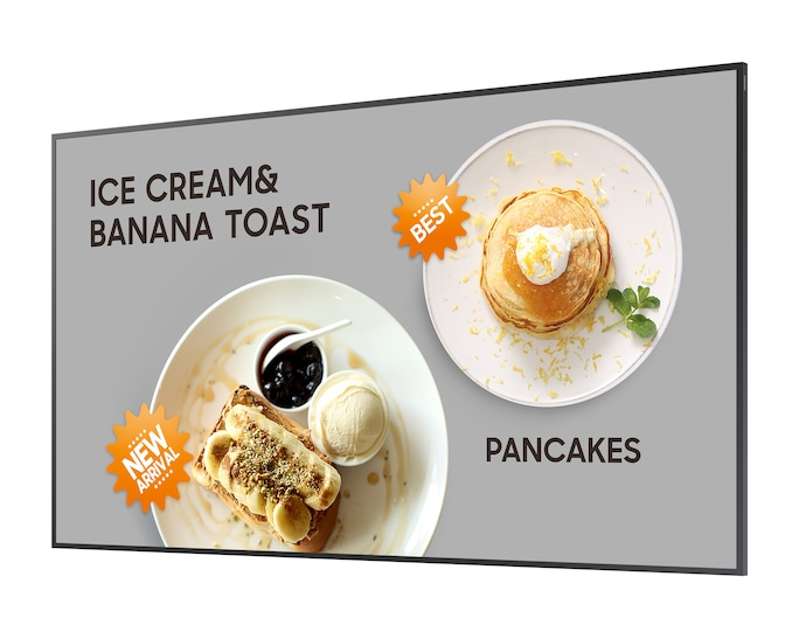
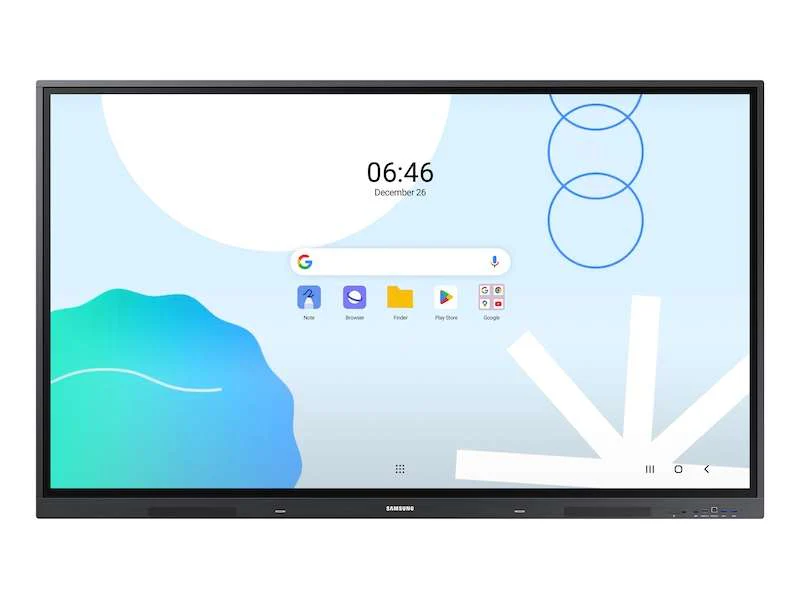


Samsung 86" WAD Series Interactive Display for Business
86" Samsung WAD Interactive Display
Key Features
- Android™‑based OS with intuitive, customizable home screen
- EDLA‑certified with access to Google Play, YouTube, Chrome and Google Classroom
- Supports multi-screen layouts including split screen and multi‑window
- Wireless screen sharing for up to 9 devices across major OS platforms
- Up to 40 simultaneous touchpoints for enhanced collaboration
- Dual Pen functionality for seamless multi‑color writing
- 3‑in‑1 USB‑C port for mirroring, touch control and 65W device charging
- HDMI‑Out for sharing whiteboard content to larger displays
- OPS expansion slot for optional Windows integration
- Cloud or on‑premise Device Management Solution (DMS) included
- Campus‑wide messaging with Advanced Messaging
- TÜV‑certified eye‑care features including low blue light, anti‑glare and flicker‑free mode
- Enhanced durability with surge protection and anti‑humidity chipset coating
Unlimited learning possibilities
The Samsung WAD Series Interactive Display is designed to enhance modern learning environments with an intuitive Android‑based platform. Users can download educational apps through Google Play and take advantage of pre-installed tools like YouTube and Chrome, supporting a dynamic and connected classroom experience.
An intuitive UX that fits your needs
Powered by Android™, the WAD series provides a familiar interface with customizable widgets and home screen layouts. Educators can tailor the display environment to fit various teaching styles and classroom requirements.
Effortless access to Google services
With EDLA certification, the WAD display supports a full suite of Google applications—including Google Play, Google Classroom, YouTube, and more. This seamless integration boosts instructional efficiency and enhances communication between teachers and students.
Display multiple screens simultaneously
Multi‑window and split‑screen modes allow educators to present multiple content sources at once. Teachers can view lesson materials, browser content, and apps simultaneously—ideal for multitasking and interactive teaching.
Smart, wireless sharing on multiple devices
The WAD series enables wireless screen sharing for up to nine connected devices. Compatible with iOS, macOS, Windows, Android, and Chrome OS, this feature promotes active participation and supports inclusive, device‑agnostic learning environments.
Better interaction with best-in-class multi-touch
Featuring up to 40 simultaneous touchpoints, the WAD series enables multiple students to collaborate on the whiteboard at once. This natural, responsive touch performance turns group learning into an engaging, hands-on experience.
Switch pens without changing settings
The Dual Pen feature allows users to switch between two colors instantly using a dual‑sided pen nib—no menu navigation required. It enables fluid, uninterrupted lessons and more natural annotation.
Convenient connectivity with USB‑C
The 3‑in‑1 USB‑C port supports screen mirroring, touch control, and device charging up to 65W. Teachers can connect and present instantly with a single cable.
Accessible content for any class size
HDMI‑Out allows whiteboard content to be displayed on a secondary screen or projector. Every student, no matter where they sit, can clearly view instructional materials in real time.
Use your favorite OS for uncomplicated learning
The OPS slot enables the WAD series to operate as a full Windows device when paired with an optional OPS module. This ensures compatibility with legacy school applications and widely used desktop workflows.
Seamless management, efficient operations
Samsung’s cloud-based Device Management Solution (DMS) allows IT teams to remotely manage settings, apps, and devices. An on-premises DMS option is also available for schools that require local network control.
Immediate notifications across multiple devices
Advanced Messaging lets administrators send important alerts instantly across classrooms and campuses. Messages appear directly on the displays, ensuring students and staff receive time‑critical information.
Reduce eye strain with better eyecare settings
TÜV‑certified for low blue light, anti‑glare, and flicker‑free performance, the WAD series helps protect viewer comfort and minimize eye fatigue—ideal for long instructional sessions.
Seamless learning in various environments
Engineered for durability, the WAD series includes surge protection via ceramic fuse and 500V DC capacitor, plus anti‑humidity protection on critical chipset components—providing reliable performance even in high‑humidity climates.
Original: $4,150.00
-65%$4,150.00
$1,452.50Product Information
Product Information
Shipping & Returns
Shipping & Returns
Description
86" Samsung WAD Interactive Display
Key Features
- Android™‑based OS with intuitive, customizable home screen
- EDLA‑certified with access to Google Play, YouTube, Chrome and Google Classroom
- Supports multi-screen layouts including split screen and multi‑window
- Wireless screen sharing for up to 9 devices across major OS platforms
- Up to 40 simultaneous touchpoints for enhanced collaboration
- Dual Pen functionality for seamless multi‑color writing
- 3‑in‑1 USB‑C port for mirroring, touch control and 65W device charging
- HDMI‑Out for sharing whiteboard content to larger displays
- OPS expansion slot for optional Windows integration
- Cloud or on‑premise Device Management Solution (DMS) included
- Campus‑wide messaging with Advanced Messaging
- TÜV‑certified eye‑care features including low blue light, anti‑glare and flicker‑free mode
- Enhanced durability with surge protection and anti‑humidity chipset coating
Unlimited learning possibilities
The Samsung WAD Series Interactive Display is designed to enhance modern learning environments with an intuitive Android‑based platform. Users can download educational apps through Google Play and take advantage of pre-installed tools like YouTube and Chrome, supporting a dynamic and connected classroom experience.
An intuitive UX that fits your needs
Powered by Android™, the WAD series provides a familiar interface with customizable widgets and home screen layouts. Educators can tailor the display environment to fit various teaching styles and classroom requirements.
Effortless access to Google services
With EDLA certification, the WAD display supports a full suite of Google applications—including Google Play, Google Classroom, YouTube, and more. This seamless integration boosts instructional efficiency and enhances communication between teachers and students.
Display multiple screens simultaneously
Multi‑window and split‑screen modes allow educators to present multiple content sources at once. Teachers can view lesson materials, browser content, and apps simultaneously—ideal for multitasking and interactive teaching.
Smart, wireless sharing on multiple devices
The WAD series enables wireless screen sharing for up to nine connected devices. Compatible with iOS, macOS, Windows, Android, and Chrome OS, this feature promotes active participation and supports inclusive, device‑agnostic learning environments.
Better interaction with best-in-class multi-touch
Featuring up to 40 simultaneous touchpoints, the WAD series enables multiple students to collaborate on the whiteboard at once. This natural, responsive touch performance turns group learning into an engaging, hands-on experience.
Switch pens without changing settings
The Dual Pen feature allows users to switch between two colors instantly using a dual‑sided pen nib—no menu navigation required. It enables fluid, uninterrupted lessons and more natural annotation.
Convenient connectivity with USB‑C
The 3‑in‑1 USB‑C port supports screen mirroring, touch control, and device charging up to 65W. Teachers can connect and present instantly with a single cable.
Accessible content for any class size
HDMI‑Out allows whiteboard content to be displayed on a secondary screen or projector. Every student, no matter where they sit, can clearly view instructional materials in real time.
Use your favorite OS for uncomplicated learning
The OPS slot enables the WAD series to operate as a full Windows device when paired with an optional OPS module. This ensures compatibility with legacy school applications and widely used desktop workflows.
Seamless management, efficient operations
Samsung’s cloud-based Device Management Solution (DMS) allows IT teams to remotely manage settings, apps, and devices. An on-premises DMS option is also available for schools that require local network control.
Immediate notifications across multiple devices
Advanced Messaging lets administrators send important alerts instantly across classrooms and campuses. Messages appear directly on the displays, ensuring students and staff receive time‑critical information.
Reduce eye strain with better eyecare settings
TÜV‑certified for low blue light, anti‑glare, and flicker‑free performance, the WAD series helps protect viewer comfort and minimize eye fatigue—ideal for long instructional sessions.
Seamless learning in various environments
Engineered for durability, the WAD series includes surge protection via ceramic fuse and 500V DC capacitor, plus anti‑humidity protection on critical chipset components—providing reliable performance even in high‑humidity climates.